


How to Stop Doomscrolling
You stop doomscrolling by changing where the feed can reach you, not by deciding to stop. The interventions that work are environmental and take about ten minutes to set up: the phone out of the bedroom, news and social apps off the home screen, notifications off for anything that is not a human being, and grayscale on at night. Willpower is last on the list because it is the weakest item on it.
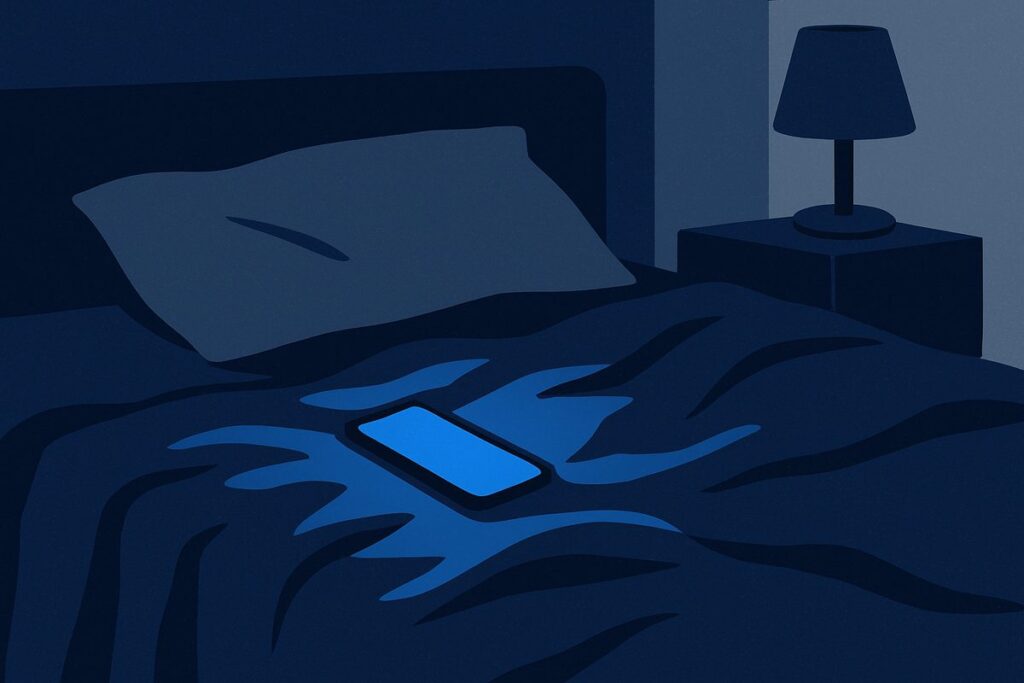
Knowing why the scroll is hard to leave changes what you try. The feed does not have an end. The rewards in it arrive on an unpredictable schedule — the same schedule a slot machine uses. And your attention is tilted toward bad news before you open anything: in a 17-country study, people were more physiologically activated by negative news than by positive news almost everywhere researchers looked. None of that is a character failing. It is a designed environment meeting an old bias.
Fast Facts About Doomscrolling
- Endless scroll and autoplay are deliberate design features. Researchers describe the reward pattern in an infinite feed as intermittent conditioning — the mechanism studied in slot machines.[2]
- A 17-country, six-continent study found people were, on average, more physiologically activated by negative than by positive news.[3]
- After the 2013 Boston Marathon bombings, six or more daily hours of bombing-related media exposure was associated with higher acute stress than being there.[5]
- In the best-known experiments, putting the phone in another room went with better cognitive performance, while turning it face down or powering it off did not. A later preregistered replication did not reproduce the effect, so treat it as promising rather than settled.[6]
What doomscrolling is
Doomscrolling is the habit of continuing to scroll through negative news — crises, disasters, conflict, outrage — long after you have stopped learning anything. The defining feature is not the subject matter but that the scrolling keeps going when its purpose has ended.
Researchers have built a measure for it. The Doomscrolling Scale, developed across three studies with 378, 419, and 460 adults, treats it as a distinct behavior rather than a synonym for heavy social media use, and it holds up statistically as one.[1] You can doomscroll for an hour without opening a single app you would call a problem, and you can be a heavy social media user who never does it. It is also not the same as staying informed: reading the news has a stopping point. Doomscrolling is what happens when the stopping point is removed.
Why the feed is built to keep you there
Three mechanisms stack. Each is documented; none of them requires vague talk about dopamine.
The rewards arrive unpredictably
Most of what you scroll past is dull. Every so often something lands — an interesting post, a funny video, a message that matters. Because you cannot predict which swipe delivers it, each swipe carries a small possibility of payoff. Researchers analyzing app design describe this as intermittent conditioning, and point to the same literature used to study slot machine mechanics.[2] An unpredictable reward schedule produces more persistent behavior than a reliable one. That is why “just one more” is a sentence you say about a feed and not about a newspaper.
There is no natural stopping point
An infinite feed removes the moment where you would otherwise reconsider. The same analysis describes endless scrolling as a technique that keeps users immersed by never arriving at a natural stop. Autoplay does the same to video: one item ends, the next begins, and the decision to continue is never handed back to you.[2] Both are defaults, and defaults are powerful precisely because most people never change them.[2] That cuts both ways, which is the good news further down.
Negative content pulls harder than positive content
Negativity bias is not a metaphor here. Stuart Soroka, Patrick Fournier, and Lilach Nir ran an experimental study across 17 countries and six continents, measuring physiological responses while participants watched real video news. Their conclusion: the average human is more activated by negative than by positive news, though with considerable variation between individuals. They called it the most comprehensive cross-national demonstration of negativity bias to date, and noted it helps explain why audience-seeking news worldwide skews negative.[3]
Put the three together: content selected for the strongest reaction, on an unpredictable schedule, in a container with no end. You are not losing a fair fight.
What the research links it to
Be careful with causal claims here. Most doomscrolling research is cross-sectional, which shows that things travel together, not which came first.
Distress. In the scale-development studies, doomscrolling was significantly associated with social media addiction, fear of missing out, and personality traits, and its relationship with life satisfaction and mental wellbeing was mediated by psychological distress.[1] The link between doomscrolling and feeling worse runs through distress, in whichever direction it runs.
Acute stress after a disaster. Following the 2013 Boston Marathon bombings, a study of 4,675 US residents found that six or more daily hours of bombing-related media exposure in the week afterward was associated with higher acute stress than direct exposure to the bombings — after adjusting for pre-bombing mental health, demographics, and prior exposure to collective stress.[5]
A self-reinforcing loop. A three-year longitudinal study of 4,165 Americans in Science Advances traced the cycle: media exposure predicted post-traumatic stress symptoms six months later; those symptoms predicted worry about future negative events two years out; and that worry predicted increased media consumption and acute stress when the Pulse nightclub massacre happened a year after that. The authors’ conclusion: “Trauma-related media exposure perpetuates a cycle of high distress and media use.”[4] Doomscrolling is not only a symptom of feeling bad; it is plausibly one of the inputs that keeps feeling bad going.
The four situations where it starts
Doomscrolling almost never begins with a decision to doomscroll. It begins in a gap. Four of them account for most of it.
- Bedtime. The largest and the most damaging. In a survey of 844 adults aged 18 to 94, texting and calling after lights out predicted longer time to fall asleep, worse sleep efficiency, more sleep disturbance, higher insomnia scores, and more daytime fatigue.[8] It also has no natural end, because the thing that normally ends it is falling asleep.
- The bathroom. Private, uninterrupted, habitual. Nobody defends this one; almost everybody does it.
- Waiting. Lines, elevators, transit, the ninety seconds before a meeting. These are the gaps the phone was designed to fill, and where the reflex is strongest.
- Right after bad news. The worst one, because it feels productive. Something happens, you go looking for information, and the search becomes a loop within minutes — the exact pattern the longitudinal research describes.[4]
None of these is a craving. They are contexts. That is why context is what you change.
What to do, ranked by how much it actually helps
Tier 1 — move the device (best-supported, least effort)
In two experiments with nearly 800 participants in total, working memory and fluid-intelligence performance were better when the phone was in another room than on the desk or in a pocket. The effect held regardless of whether the phone was face down or completely powered off — the authors concluded such fixes “are likely futile.”[6] So: charge the phone outside the bedroom overnight, and leave it in a different room while you work. Distance is the only version of this that does anything.
Tier 2 — cut the interruptions
In a study of 221 people, participants spent one week with notification alerts on and their phones within reach or sight, and another week with alerts off and phones away. They reported higher inattention and hyperactivity in the alerts-on week — and higher inattention in turn predicted lower productivity and lower psychological wellbeing. The authors noted people can reduce these costs “simply by adjusting existing phone settings.”[7]
Turn off notifications for every app that is not a person trying to reach you. News apps first.
Tier 3 — add friction where the reflex lands
The scroll is a reflex with a two-second latency. Add four seconds and it often does not complete.
- Delete the worst two apps from the phone and use them in a browser, logged out.
- Take every feed app off the home screen. Make yourself search for them by name.
- Turn off autoplay inside each app — you are re-inserting the stopping point the design removed.[2]
Tier 4 — decide in advance, not in the moment
Set a time and a container for news — twenty minutes, once a day, at a fixed hour, not the last hour before bed. Then give the four trigger gaps something else to hold: a book by the bed, a podcast for the commute, a walk after bad news instead of a search.
Tier 5 — willpower (last, because it is weakest)
Resolving to scroll less is the least effective item here, and the intervention evidence agrees: what works is reducing “cues linked to high use,” not resisting them.[12] If you have promised yourself six times and it has not held, the problem was never your resolve.
Settings you can change in the next two minutes
Menu names vary by device and software version. These paths are accurate as of September 2026; if yours differs, search your settings for the feature name.
| What you want | iPhone | Android |
|---|---|---|
| Stop the pings | Settings > Apps > the app > Notifications, then turn off Allow Notifications[13] | Settings > Digital Wellbeing > Focus mode, then choose the apps to pause — paused apps send no notifications[11] |
| Cap time in a specific app | Settings > Screen Time > App Limits > Add Limit[9] | Settings > Digital Wellbeing > App timers, then Set timer next to the app[11] |
| Shut apps off on a schedule | Settings > Screen Time > Downtime, then turn on Block at Downtime[9] | Settings > Digital Wellbeing > Focus mode, then Set a schedule[11] |
| Grayscale the screen | Settings > Accessibility > Display & Text Size > Color Filters > Grayscale[10] | Settings > Digital Wellbeing > Bedtime mode > Screen options at bedtime > Grayscale[11] |
| Make the night rules automatic | Assign Color Filters to the Accessibility Shortcut so you can toggle it from the side button[10] | Settings > Digital Wellbeing > Bedtime mode > Bedtime routine, then Use a schedule or Turn on while charging[11] |
Do the notification row first. It costs sixty seconds and removes the thing that starts the scroll most often.
For a number rather than an impression of what this costs your attention, the digital distraction test asks about interruption and focus rather than total hours. It is educational rather than diagnostic, but it gives you a baseline to re-check in a month.
When it is worth talking to a clinician
Doomscrolling is usually a habit in a hostile environment, and environment changes fix most of it. Sometimes it is a symptom, and then the settings will not touch it. Talk to a licensed clinician if:
- You have kept the environmental changes above in place for several weeks and nothing moved
- The scrolling is driven by dread or a need to check for threat, and stopping raises your anxiety rather than lowering it
- You are losing significant sleep to it, most nights
- It got much worse after a specific event, and has not settled — the cycle that longitudinal research describes is real, and it is treatable early[4]
- Low mood, panic, or intrusive thoughts about catastrophe are in the picture alongside it
Ask about cognitive behavioral therapy. A 2026 review of 125 intervention studies found structured psychological treatment produced the most consistent benefit for problematic digital technology use, though the authors flag high heterogeneity and small-study effects, so the reported effect sizes are likely optimistic.[12] The therapist directory lists clinicians by location, and where to start covers the first conversation.
If the pattern is broader than news — compulsive checking, across apps, all day — the Smartphone Compulsion Test is the better starting point. If it is specific to one platform’s feed, try the social media addiction test. If short videos are the main pull, the Brain Rot Test asks about exactly that: scrolling, focus and sleep.
If you are in crisis or having thoughts of harming yourself, call or text 988 to reach the Suicide and Crisis Lifeline.
Sources
- Applied Research in Quality of Life — Doomscrolling Scale: its Association with Personality Traits, Psychological Distress, Social Media Use, and Wellbeing (Satici et al., 2022, 18(2):833–847). Accessed September 19, 2026.
- International Journal of Environmental Research and Public Health — Addictive Features of Social Media/Messenger Platforms and Freemium Games against the Background of Psychological and Economic Theories (Montag et al., 2019, 16(14):2612). Accessed September 19, 2026.
- Proceedings of the National Academy of Sciences — Cross-national evidence of a negativity bias in psychophysiological reactions to news (Soroka, Fournier & Nir, 2019, 116(38):18888–18892). Accessed September 19, 2026.
- Science Advances — Media exposure to mass violence events can fuel a cycle of distress (Thompson, Jones, Holman & Silver, 2019, 5(4):eaav3502). Accessed September 19, 2026.
- Proceedings of the National Academy of Sciences — Media’s role in broadcasting acute stress following the Boston Marathon bombings (Holman, Garfin & Silver, 2014, 111(1):93–98). Accessed September 19, 2026.
- Journal of the Association for Consumer Research — Brain Drain: The Mere Presence of One’s Own Smartphone Reduces Available Cognitive Capacity (Ward, Duke, Gneezy & Bos, 2017, 2(2):140–154). Accessed September 19, 2026.
- Proceedings of the 2016 CHI Conference on Human Factors in Computing Systems — “Silence Your Phones”: Smartphone Notifications Increase Inattention and Hyperactivity Symptoms (Kushlev, Proulx & Dunn, 2016, pp. 1011–1020). Accessed September 19, 2026.
- Social Science & Medicine — Bedtime mobile phone use and sleep in adults (Exelmans & Van den Bulck, 2016, 148:93–101). Accessed September 19, 2026.
- Apple — Set schedules with Screen Time on iPhone. Accessed September 19, 2026.
- Apple — Change display colors on iPhone to make it easier to see what’s onscreen. Accessed September 19, 2026.
- Google — Manage how you spend time on your Android phone with Digital Wellbeing. Accessed September 19, 2026.
- JMIR Mental Health — Therapeutic Interventions Targeted at Problematic Use of Digital Technology: Systematic Review and Meta-Analysis of Evidence (Balhara et al., 2026, 13:e89280). Accessed September 19, 2026.
- Apple — Turn notifications on or off for a specific app on your iPhone. Accessed September 19, 2026.
About this information
iPhone, Android, Apple and other product names mentioned on this page are trademarks or registered trademarks of their respective owners. We are not affiliated with, sponsored by or endorsed by those companies, and we use their names only to identify the products we discuss. This information reflects our understanding, based on public sources, as of the last update to this page.